

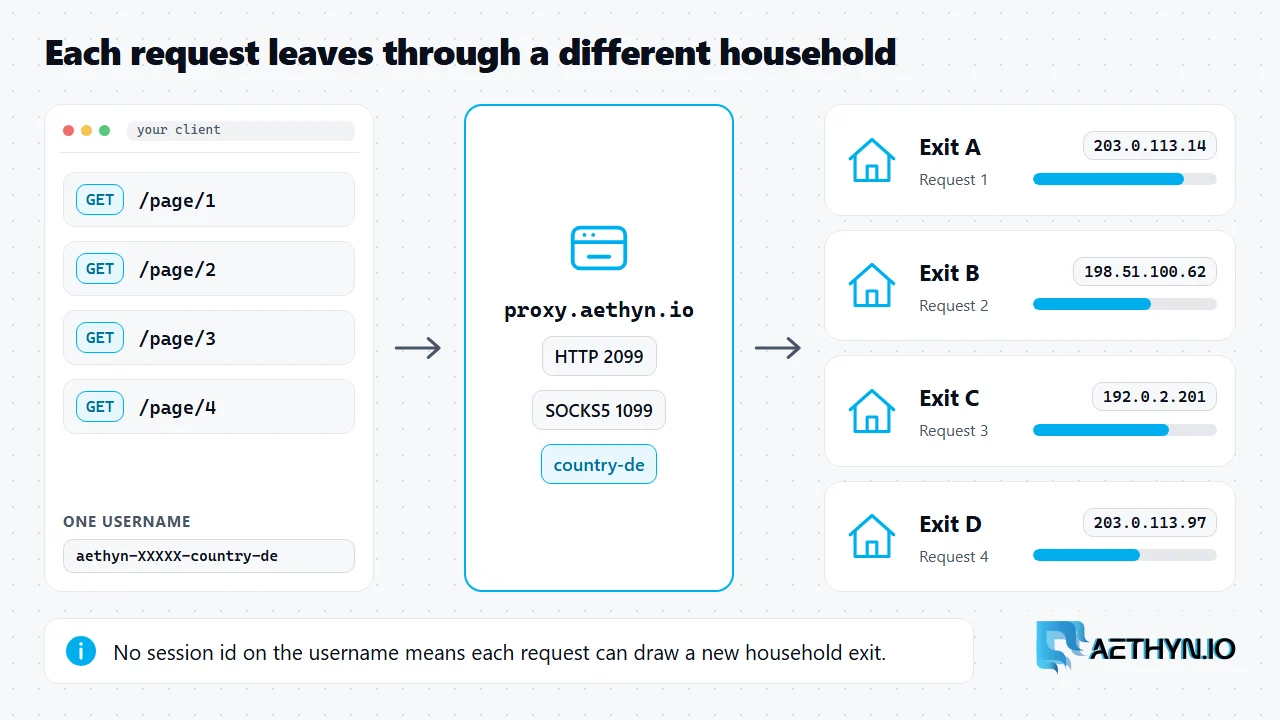
A rotating residential proxy is a proxy that sends each request out through a different household IP address from a large pool. The site you request sees a normal ISP address, not your machine and not a data center. Because consecutive requests leave from different homes, no single address carries the whole job, and one flagged IP does not stop the next request. Rotation is the default behaviour of the Aethyn gateway, and the sections below show what actually happens between your client and the site.
What happens on one request
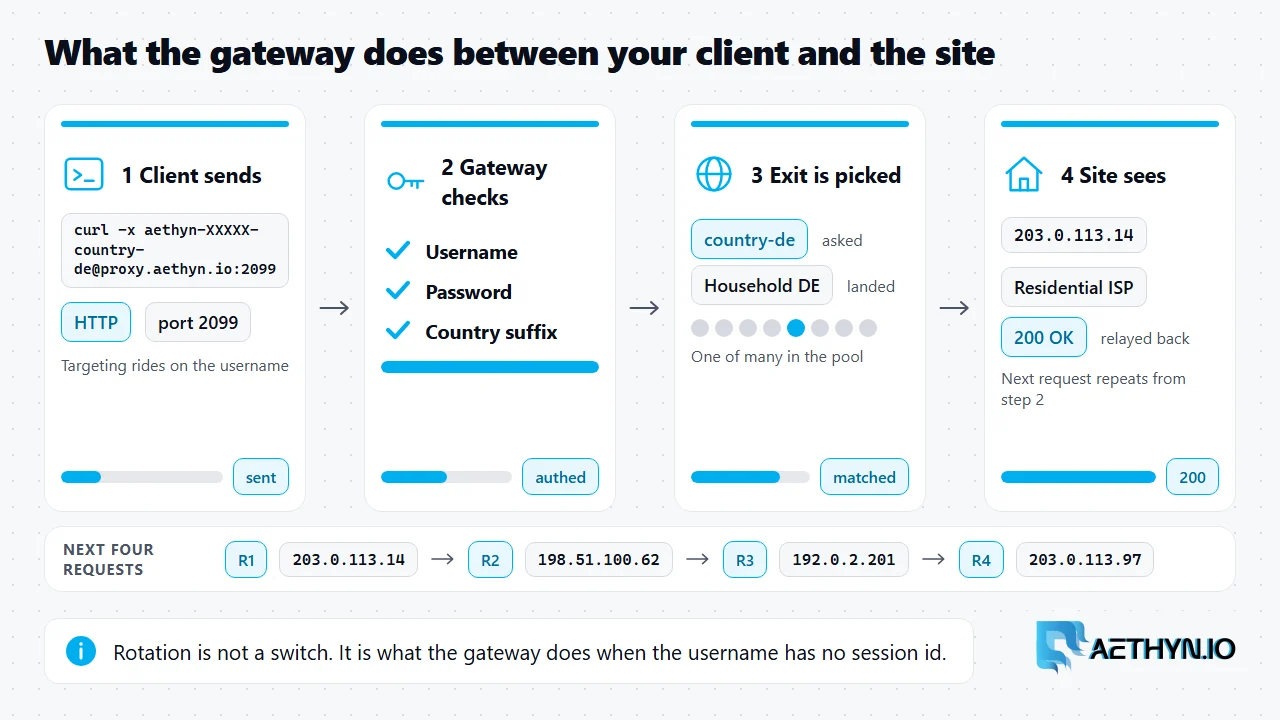
Your client points at proxy.aethyn.io and sends the username and password from the dashboard. The gateway authenticates the login, reads the targeting on the username (a country, for example), and then picks a residential exit that matches. It opens the onward connection from that household and relays the response back to you. The next request repeats the same steps and can land on a different exit. The client never connects to the household directly, and it does not need to track which IP it got.
That is the whole mechanism. Rotation is not a setting you switch on. It is what the gateway does when the username carries no session id. The beginner guide covers what a residential exit is. This page covers how the exit changes.
Per-request rotation vs timed rotation
There are two ways the exit can change, and they map to two username shapes.
| Mode | Username shape | What the exit does |
|---|---|---|
| Per request | aethyn-XXXXX-country-de | Can change on every request |
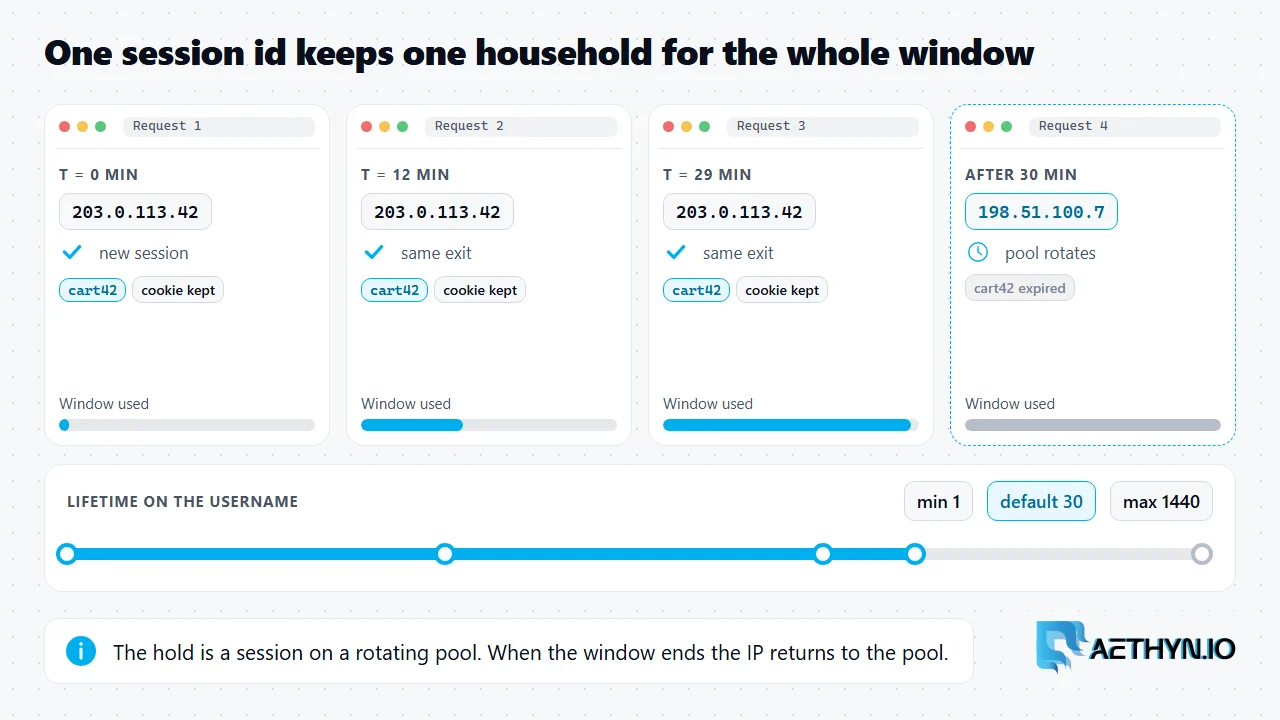
| Timed hold | aethyn-XXXXX-country-de-session-run1-lifetime-30 | Stays the same for the lifetime window, then rotates |
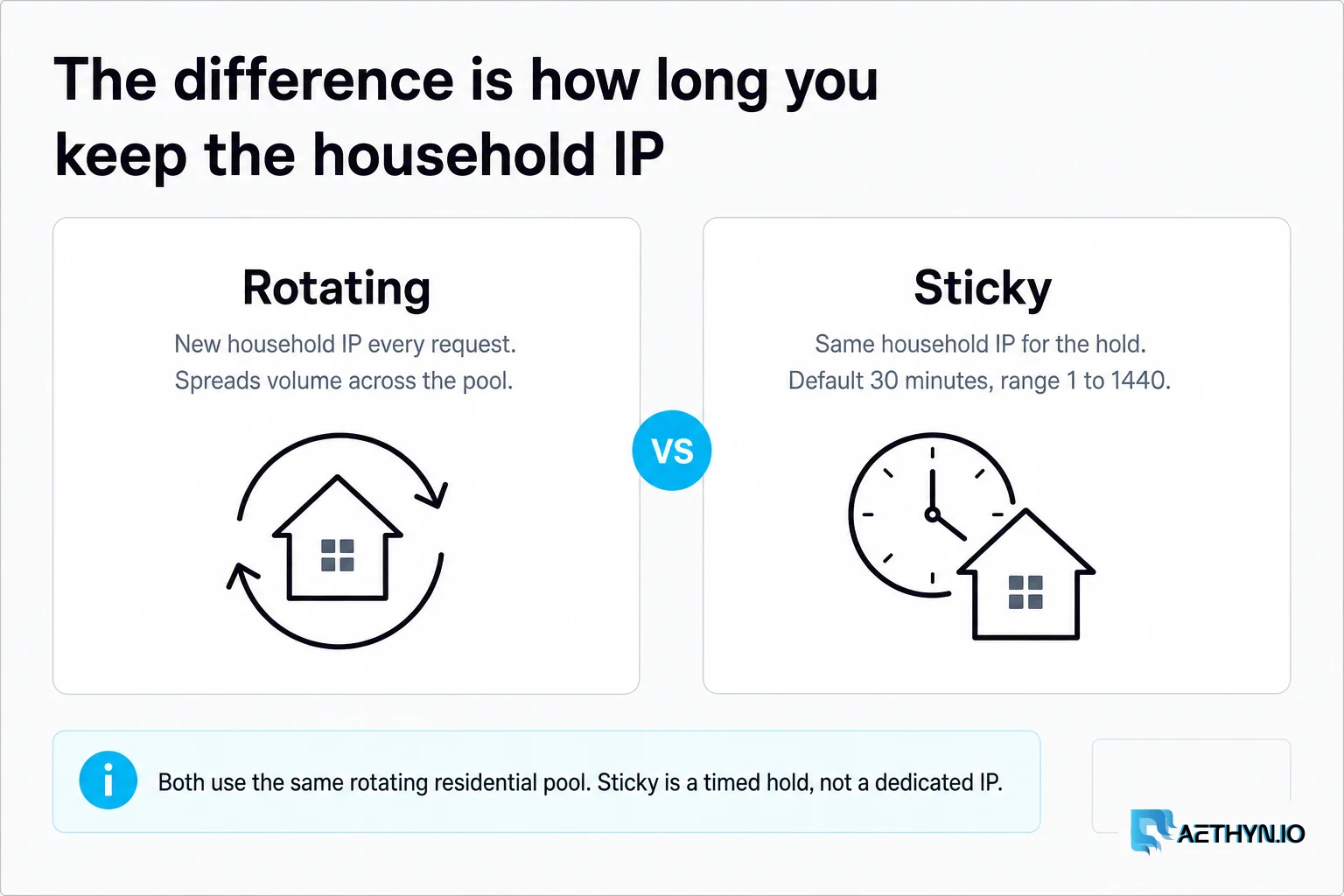
Per-request rotation is the right choice when each URL is independent: search result pages, product listings, price checks, ad verification. Spreading those requests over many households keeps the request rate per IP low. The timed hold, a sticky session, is for flows where page two must look like the same visitor as page one, such as a login, a cart or a paginated walk with a cookie. The lifetime is 1 to 1440 minutes and defaults to 30. After it ends, the same session id can draw a fresh IP. Neither mode is a static address, and the comparison of the two lives in rotating vs static residential proxies.
Why pool size is the wrong number to chase
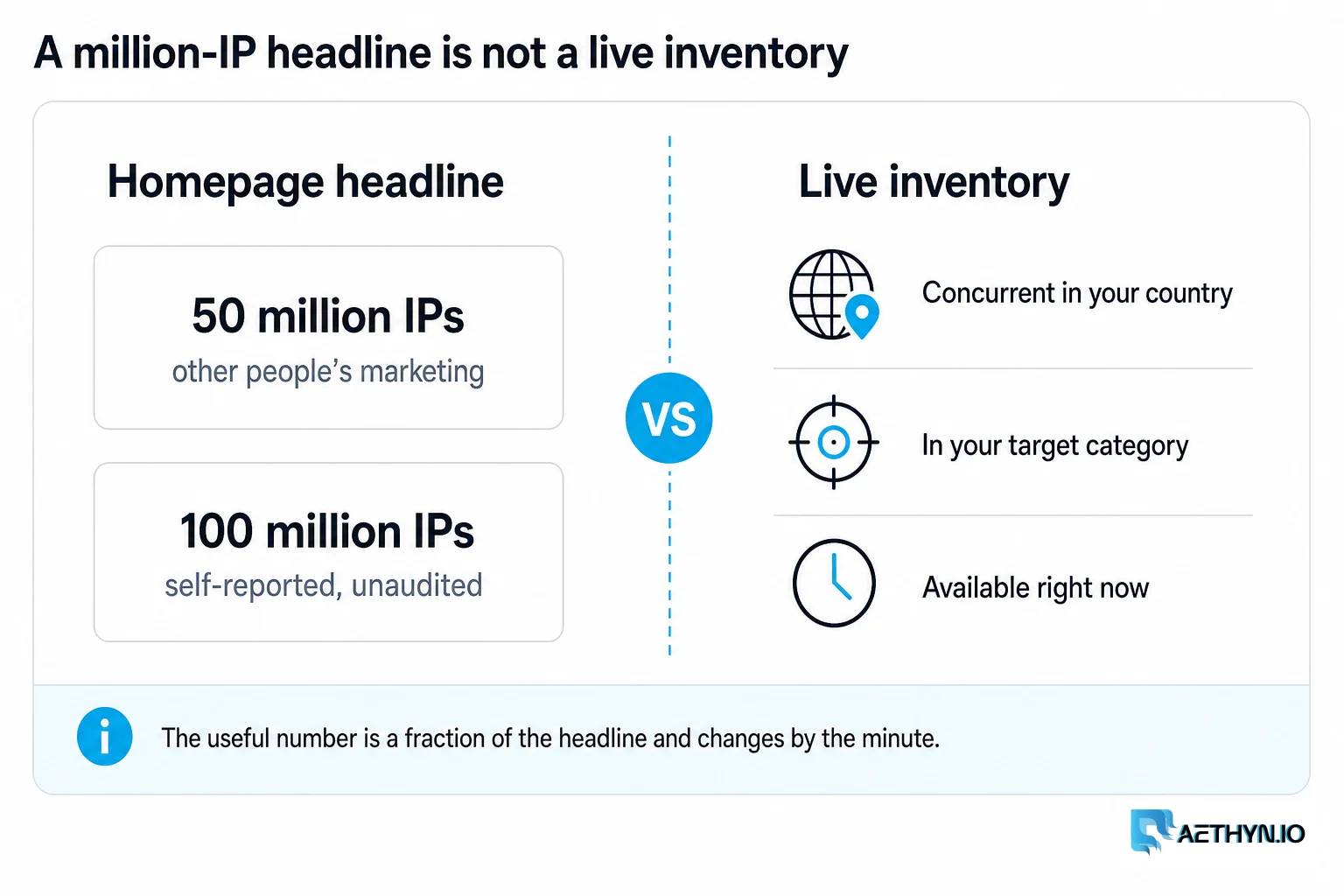
Provider pages lead with a pool count, and Aethyn's product page lists 85M+ residential IPs across 195+ countries. That figure describes the supply the gateway can draw from. It does not describe the IP your request used. The site never sees your pool. It scores the single address in front of it: is the ASN residential, is the reputation clean, has this address hit this site recently, and does its location match what the request claims.
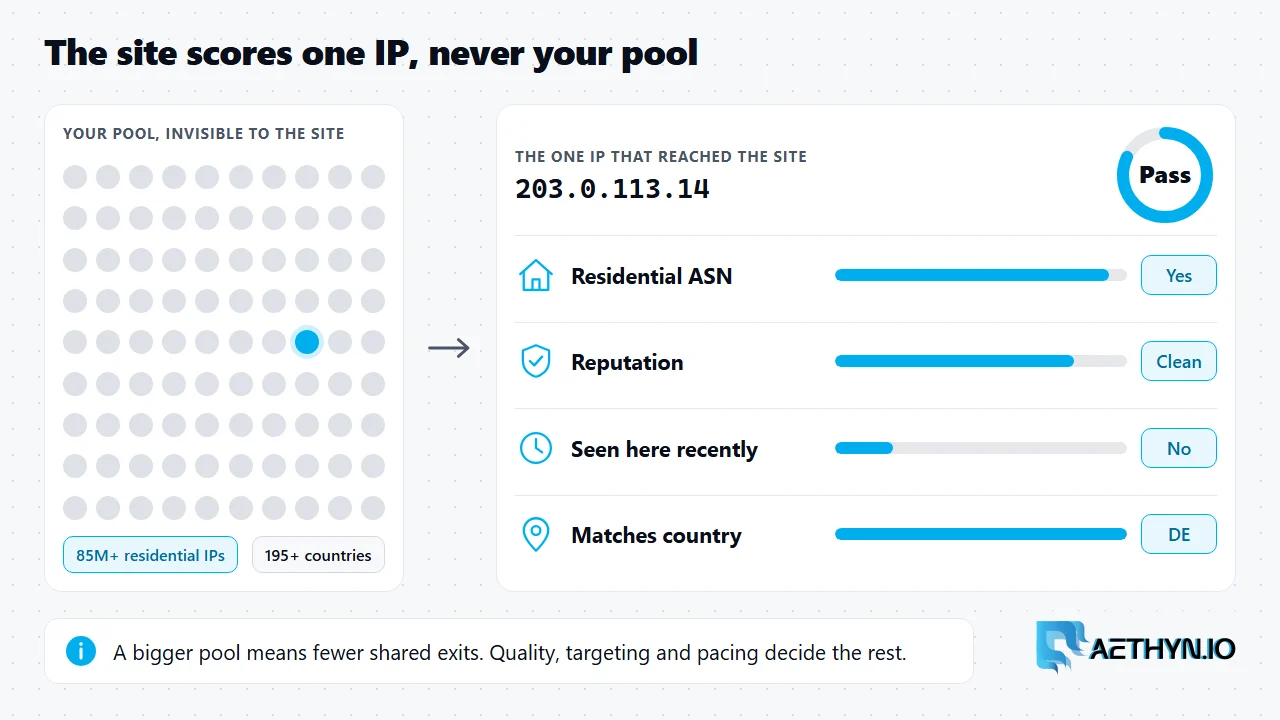
A larger pool helps in one concrete way: with more addresses per country, the chance that two of your requests share an exit in the same minute drops. Past that, quality, targeting accuracy and pacing decide results. The longer treatment is in the pool size myth. Billing follows the same logic. Aethyn charges for bandwidth, from €2.00/GB on Premium, not for the number of IPs you touch.
What you configure
Pick the port for the protocol: Premium HTTP is 2099 and Premium SOCKS5 is 1099. Add a country to the username. Leave the session id off for rotation. A curl check shows the exit changing:
Code Snippetfor i in 1 2 3; do
  curl -s -x "http://aethyn-XXXXX-country-de:PASSWORD@proxy.aethyn.io:2099" https://api.ipify.org
  echo
done
Three requests, usually three different addresses. Add -session-run1-lifetime-30 to the username and the same loop prints one address three times. Protocol choice is a separate question, covered in SOCKS5 vs HTTP. Country, session and lifetime rules are in the targeting docs. To run it on real traffic, see rotating residential proxies or the Premium pool, and pricing for bandwidth.
Rotating residential proxy questions
What is a rotating residential proxy?
How often does the IP change?
Does a bigger pool mean better results?
Is rotating the same as a static residential proxy?
Guides, integrations & docs
Continue reading
Rotating vs Static Residential Proxies: How to Choose
Rotating residential proxies give you a new household IP per request. Sticky holds that IP for 1–1440 minutes (default 30) on the same rotating pool — not a static ISP product.
Sticky Proxies Explained: Sessions, Lifetime, and When to Use Them (2026)
A sticky proxy holds one residential IP for a set time instead of changing it on every request. Here is the exact session and lifetime username, how long it lasts, and when to use it.
The Residential Proxy Pool Size Myth
Every provider opens with an IP count — 50 million, 100 million. We're not going to. Here's why the number is meaningless, and what we stand behind instead: IP quality.
A new household exit on every request
Premium HTTP is port 2099, SOCKS5 is 1099. Country on the username. Free trial, no card.