

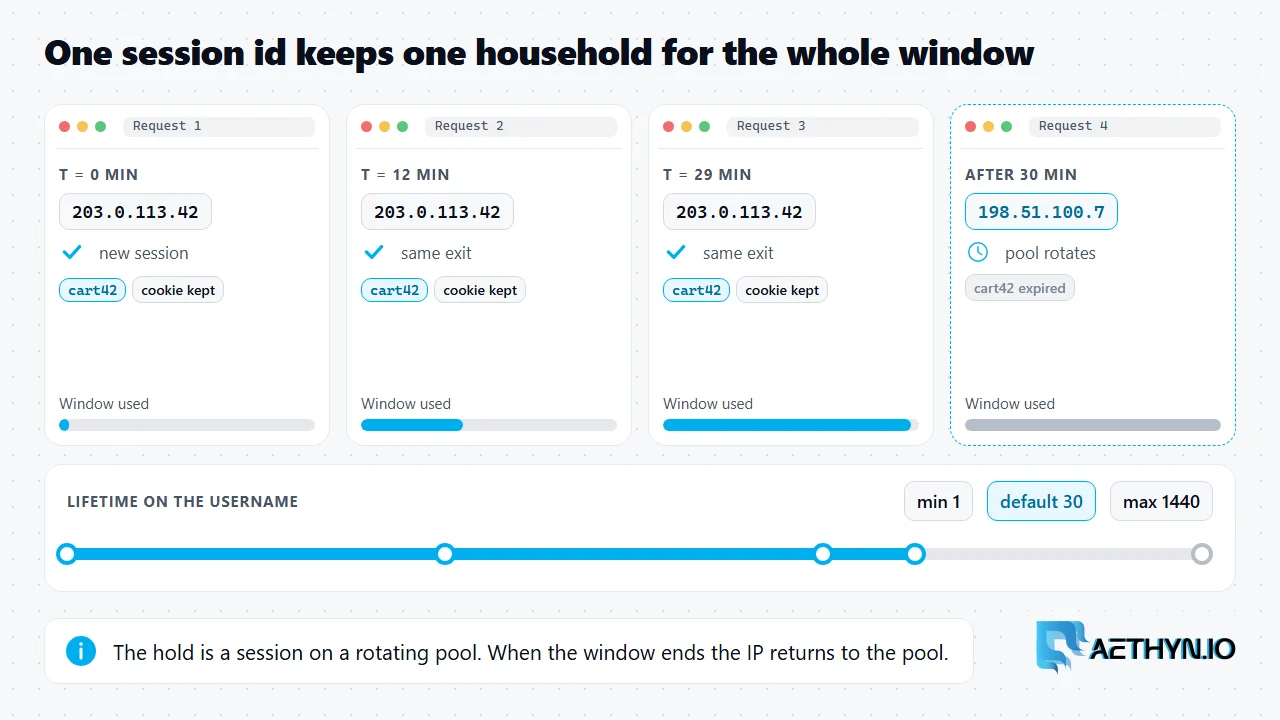
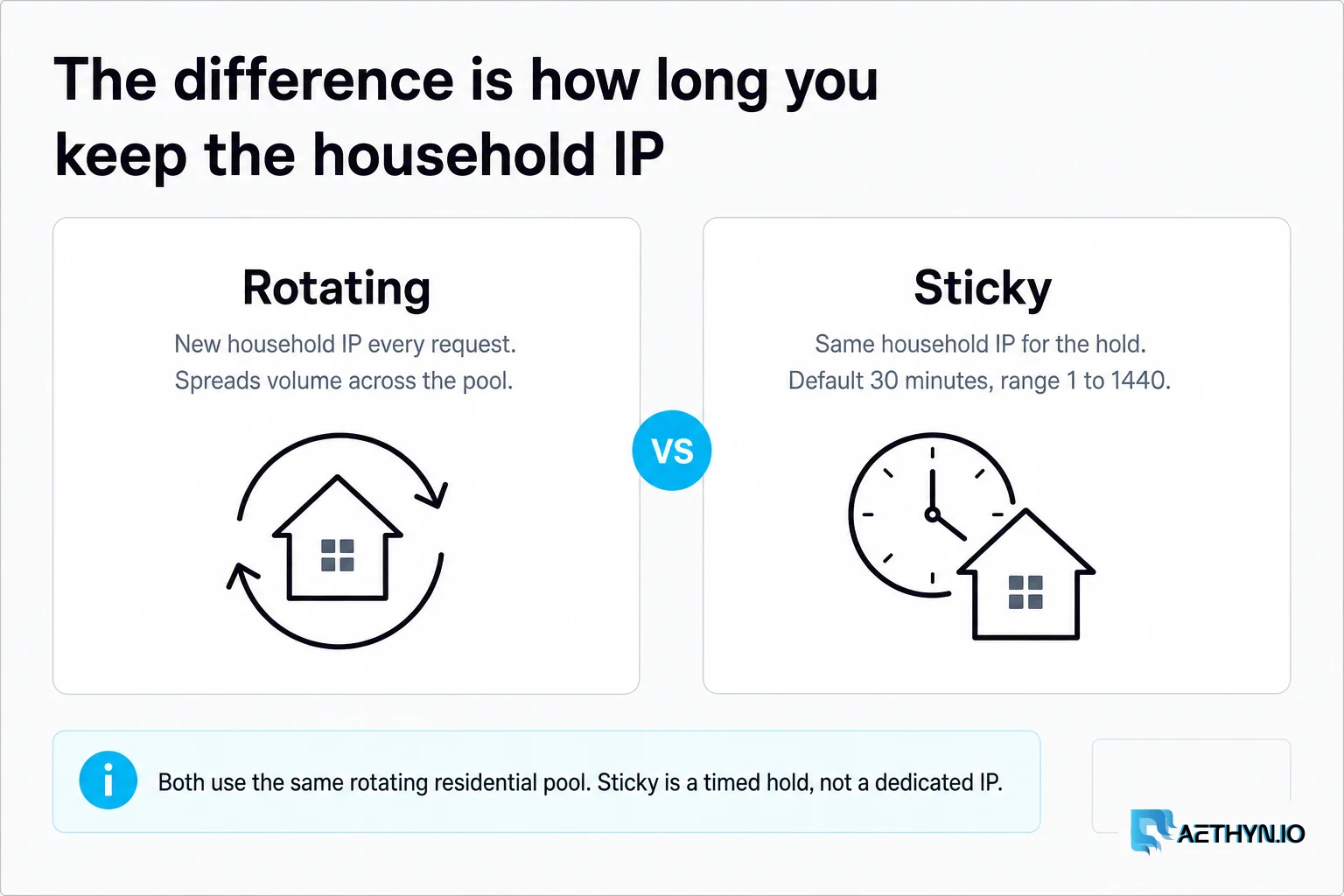
A sticky proxy is a proxy session that keeps the same IP address for a set period instead of changing it on every request. On a rotating residential network, "sticky" is a timed hold on one household IP from the pool. Reuse the same session id and each request leaves from that same exit until the lifetime window ends, then the IP goes back to the pool. It is a session mode, not a dedicated address. Aethyn does not sell static or ISP proxies, so a sticky session is the stable-identity option on this network.
The session and lifetime username
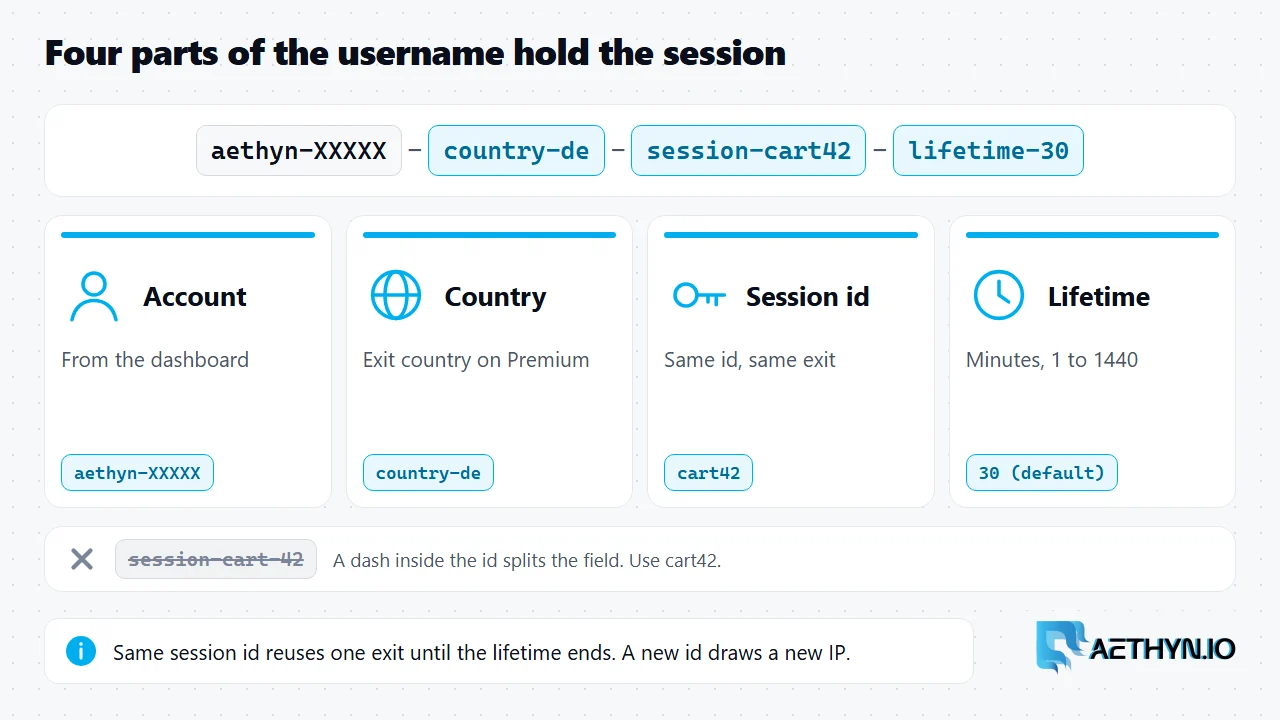
Stickiness is controlled entirely by the proxy username. There is no separate port or product. The format is the account username, a country, then session and lifetime:
Code Snippetaethyn-XXXXX-country-de-session-cart42-lifetime-30
| Part | Meaning |
|---|---|
aethyn-XXXXX | Your account username from the dashboard |
country-de | Exit country (Premium) |
session-cart42 | Session id. Same id means same exit |
lifetime-30 | Hold the exit for this many minutes (1 to 1440, default 30) |
Use a different session id to get a different IP, and the same id to keep one. Avoid dashes inside the id: the dash separates username fields, so cart-42 breaks the parse and cart42 does not. Premium HTTP is port 2099 and SOCKS5 is 1099. A full Python or Node example is in the targeting docs.
How long a sticky session lasts
The hold runs for the lifetime you set on the session. Leave the lifetime off and it is 30 minutes. Set lifetime-1440 and it is a full day. When the window ends, the same session id can draw a fresh IP. Because the exit is a real home connection, build long flows to survive one unexpected IP change instead of assuming a permanent address. If you need an address that never changes for months, Aethyn is the wrong vendor, and the rotating vs static comparison explains why.
When to use a sticky proxy
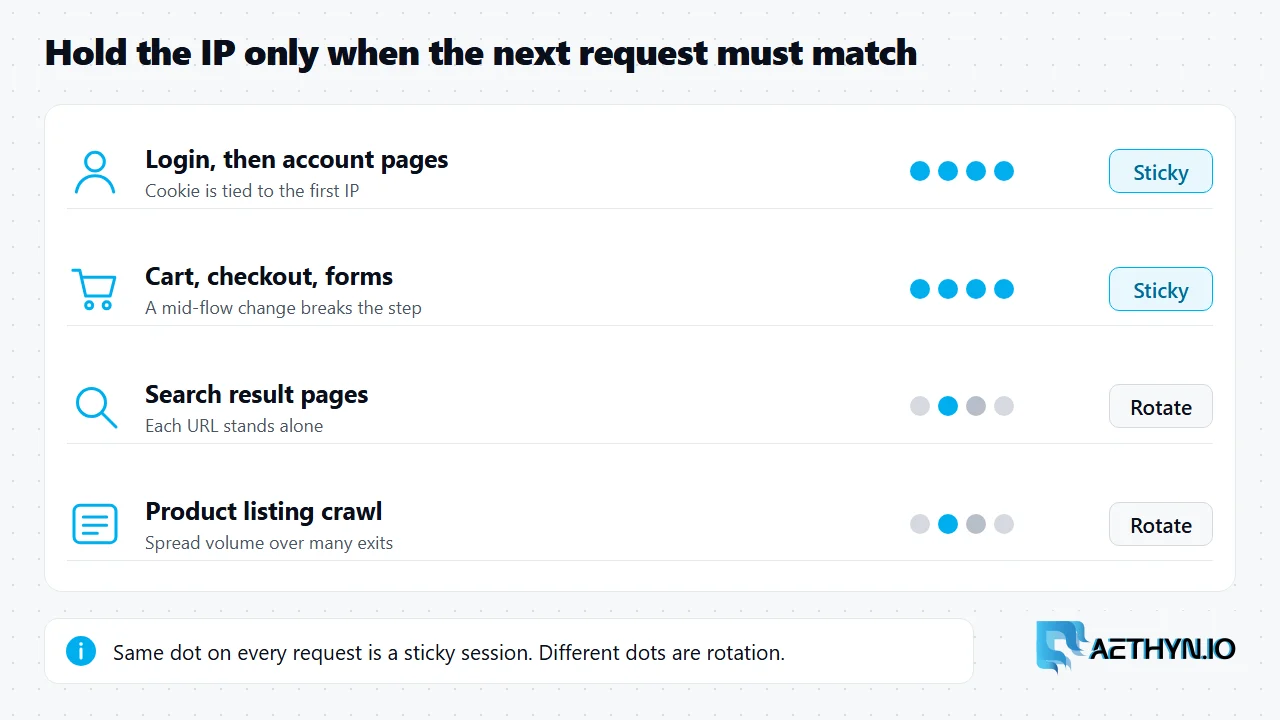
Use one when a later request must look like the same visitor as an earlier one.
| Job | Why sticky |
|---|---|
| Login, then account pages | The session cookie is tied to the first IP |
| Cart, checkout, multi-step forms | A mid-flow IP change can invalidate the step |
| Paginated walk with a cookie | Page two must match page one |
| Browser automation holding a challenge cookie | See Playwright with residential proxies |
| One identity per account | One session id per account |
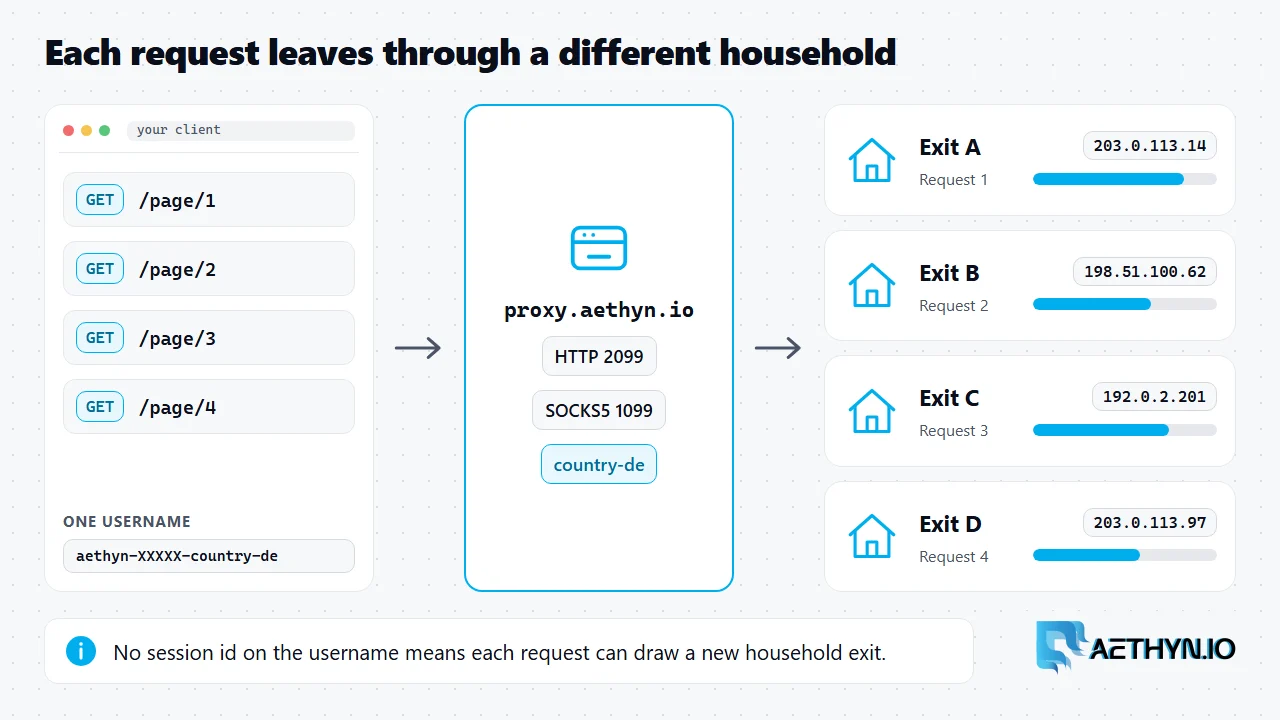
Use rotation when each request is an independent URL. Holding one IP for thousands of independent requests only concentrates the request rate on a single address, which is the opposite of what rotation does, as how rotating residential proxies work shows. A common failure is a workflow that uses a rotating username for one step and a sticky one for the next, which creates two identities. The n8n sticky vs rotate post walks through it, and the glossary has the one-line sticky session definition.
Add city or ISP
Country works on Premium. City and ISP targeting are Elite username suffixes, and they combine with a session id the same way. Start on country. Add city only when the page itself changes by location. To run sticky sessions in production, see sticky residential proxies, or the Elite pool for city and ISP.
Sticky proxy questions
What is a sticky proxy?
How long does a sticky session last?
Is a sticky IP the same as a static IP?
When should I use rotating instead of sticky?
Guides, integrations & docs
Continue reading
How Rotating Residential Proxies Work (2026)
A rotating residential proxy sends each request out through a different household IP. Here is how the gateway picks the exit, when rotation is per request or timed, and why pool size is not the number to watch.
Rotating vs Static Residential Proxies: How to Choose
Rotating residential proxies give you a new household IP per request. Sticky holds that IP for 1–1440 minutes (default 30) on the same rotating pool — not a static ISP product.
Why n8n Workflows Return the Wrong Country
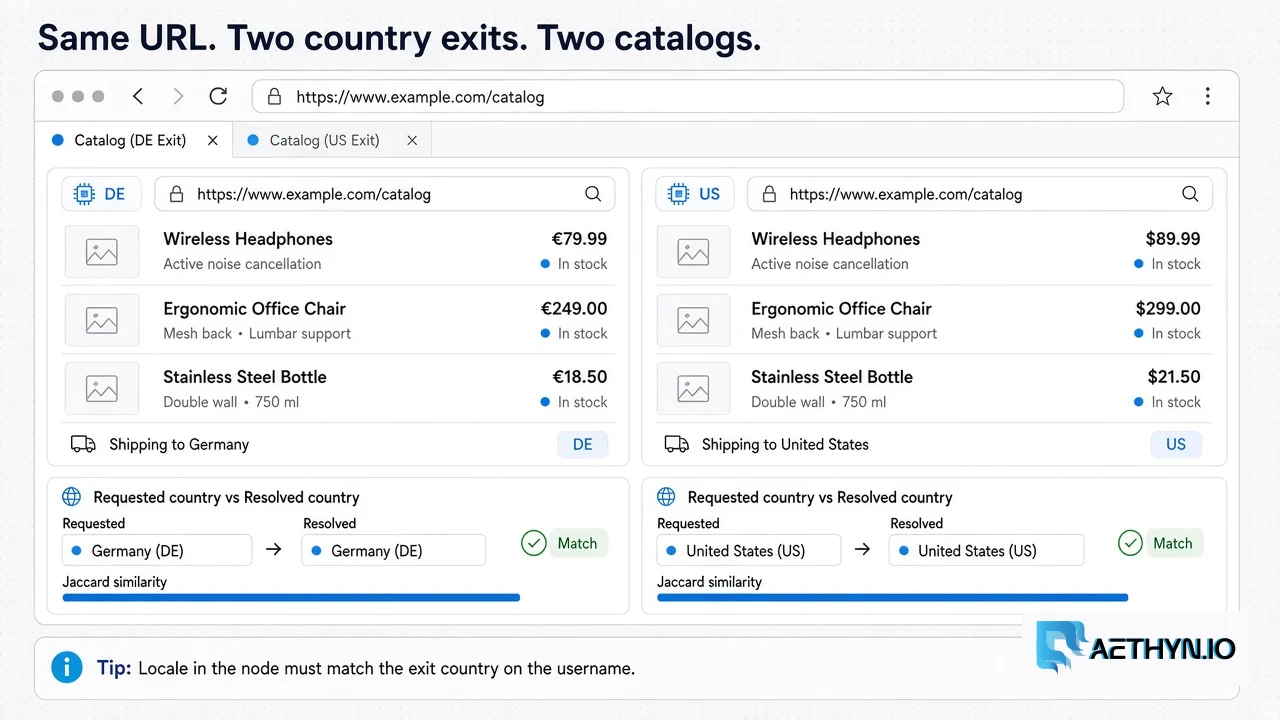
An n8n run can sit green in the editor and still store the US catalog from a DE job. Hold the URL constant, change only the country on the proxy username, and classify the body — not a published overlap percentage.
Hold one household IP for the whole flow
Add -session-<id>-lifetime-<minutes> to the username. Premium HTTP is port 2099. Free trial, no card.