

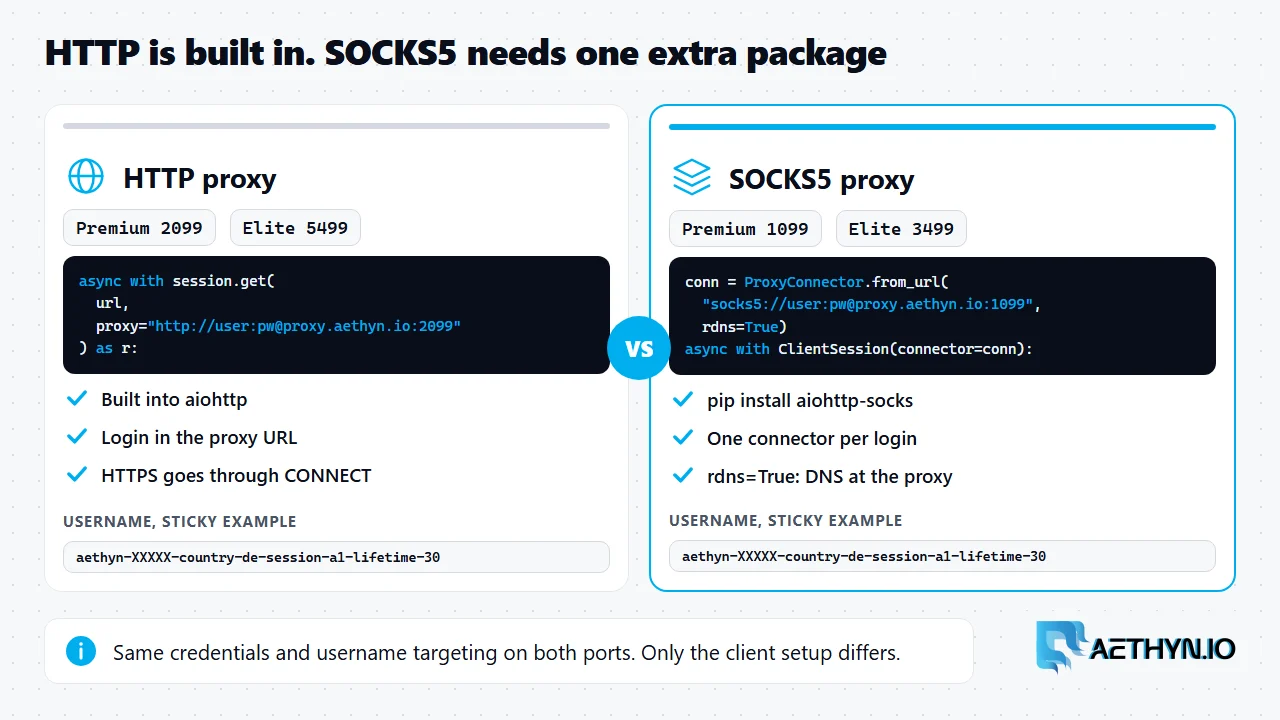
aiohttp proxy support is how an aiohttp client sends its requests through an intermediary. HTTP proxies are built in through the proxy argument. SOCKS5 needs the aiohttp-socks package. Aethyn serves both from one residential pool: HTTP on port 2099 and SOCKS5 on port 1099 for Premium, and 5499 and 3499 for Elite, with the same login on both. This page has the code for both, the one setting that decides where DNS happens, and a pattern for holding one sticky session per identity.
The code was run on Python 3.14 with aiohttp 3.14.5 and aiohttp-socks 0.12.0 against a local stand-in proxy to check the client side: authentication, the username format, session handling and DNS mode. It was not run against live targets, so the addresses it prints are yours to confirm.
The full script
Code Snippetimport asyncio
import os
from urllib.parse import quote

import aiohttp
from aiohttp_socks import ProxyConnector

HOST = "proxy.aethyn.io"
HTTP_PORT = 2099  # Premium HTTP (Elite: 5499)
SOCKS_PORT = 1099  # Premium SOCKS5 (Elite: 3499)
USER = os.environ["AETHYN_USER"]  # aethyn-XXXXX, from the dashboard
PASSWORD = os.environ["AETHYN_PASSWORD"]
URL = "https://api.ipify.org?format=json"


def username(country=None, session=None, lifetime=30):
    parts = [USER]
    if country:
        parts += ["country", country]
    if session:
        assert "-" not in session, "session id cannot contain a dash"
        parts += ["session", session, "lifetime", str(lifetime)]
    return "-".join(parts)


def login(user):
    # percent-encode: the password may contain characters that are special in a URL
    return f"{quote(user, safe='')}:{quote(PASSWORD, safe='')}"


async def via_http(session, user):
    async with session.get(
        URL, proxy=f"http://{login(user)}@{HOST}:{HTTP_PORT}"
    ) as r:
        return (await r.json())["ip"]


async def via_socks5(user):
    connector = ProxyConnector.from_url(
        f"socks5://{login(user)}@{HOST}:{SOCKS_PORT}", rdns=True
    )
    async with aiohttp.ClientSession(connector=connector) as session:
        async with session.get(URL) as r:
            return (await r.json())["ip"]


async def main():
    async with aiohttp.ClientSession() as session:
        rotating = await asyncio.gather(
            *[via_http(session, username("de")) for _ in range(5)]
        )
        sticky = await asyncio.gather(
            *[via_http(session, username("de", "cart42")) for _ in range(5)]
        )
    print("rotating:", rotating)
    print("sticky:  ", sticky)
    print("socks5:  ", await via_socks5(username("de", "cart42")))


asyncio.run(main())
The five rotating calls can print five different addresses. The five sticky calls print one, because they share a session id. Set AETHYN_USER and AETHYN_PASSWORD from the dashboard first, and keep them out of the source.
HTTP: put the login in the proxy URL
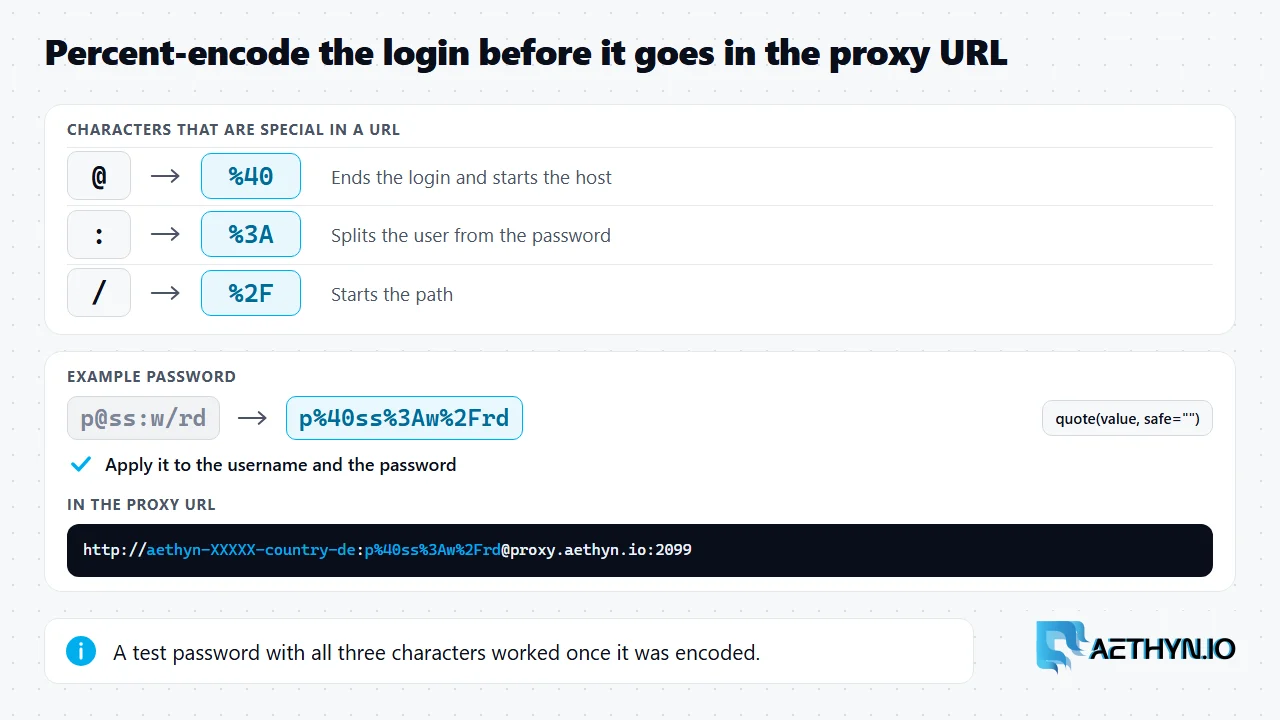
For HTTP, pass proxy="http://user:password@host:port" and aiohttp builds the Proxy-Authorization header from it. The login() helper percent-encodes both parts so a password containing @, : or / does not break the URL. A test password with all three worked. The older form, proxy_auth=aiohttp.BasicAuth(...), prints a DeprecationWarning on aiohttp 3.14 that says it will be removed in 4.0, so the script avoids it. Passing only proxy_headers returned a 407 for plain http:// targets in the same test, so it was left out too. HTTPS targets go through the same proxy argument with a CONNECT tunnel. A wrong login raises aiohttp.ClientHttpProxyError with status == 407, which the 407 guide explains.
SOCKS5: aiohttp-socks and remote DNS
Install it with pip install aiohttp-socks. A ProxyConnector holds the proxy, and you hand it to ClientSession. The setting that matters is rdns. With rdns=False your machine resolves the hostname first and sends the proxy an IP address. With rdns=True the hostname goes to the proxy as text and the proxy resolves it, so the lookup of the target name does not run on your machine. In the local test, a hostname that did not resolve locally failed with rdns=False and worked with rdns=True, and the stand-in proxy received a domain-type address for the second.
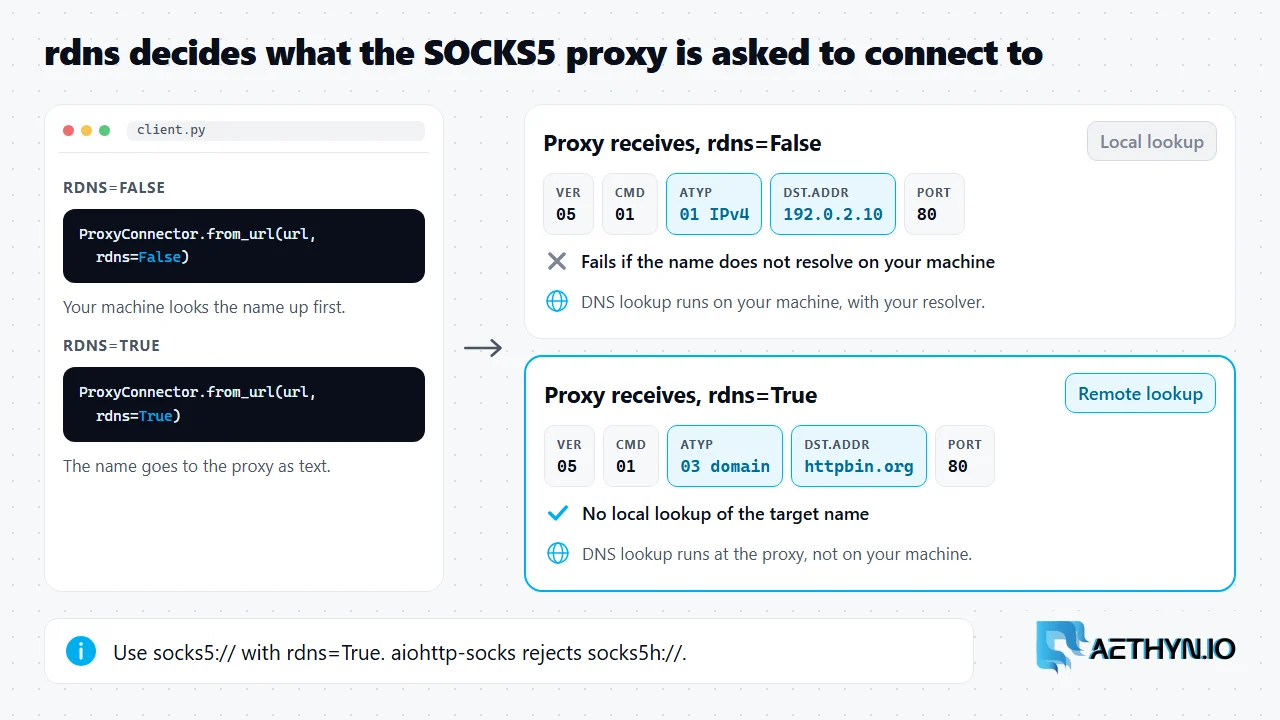
Requests documents socks5h:// for the same purpose. aiohttp-socks does not accept it: the scheme raised ValueError: Invalid scheme component: socks5h. Use socks5:// with rdns=True. The protocol choice itself is in SOCKS5 vs HTTP and the protocols docs.
One identity per session id
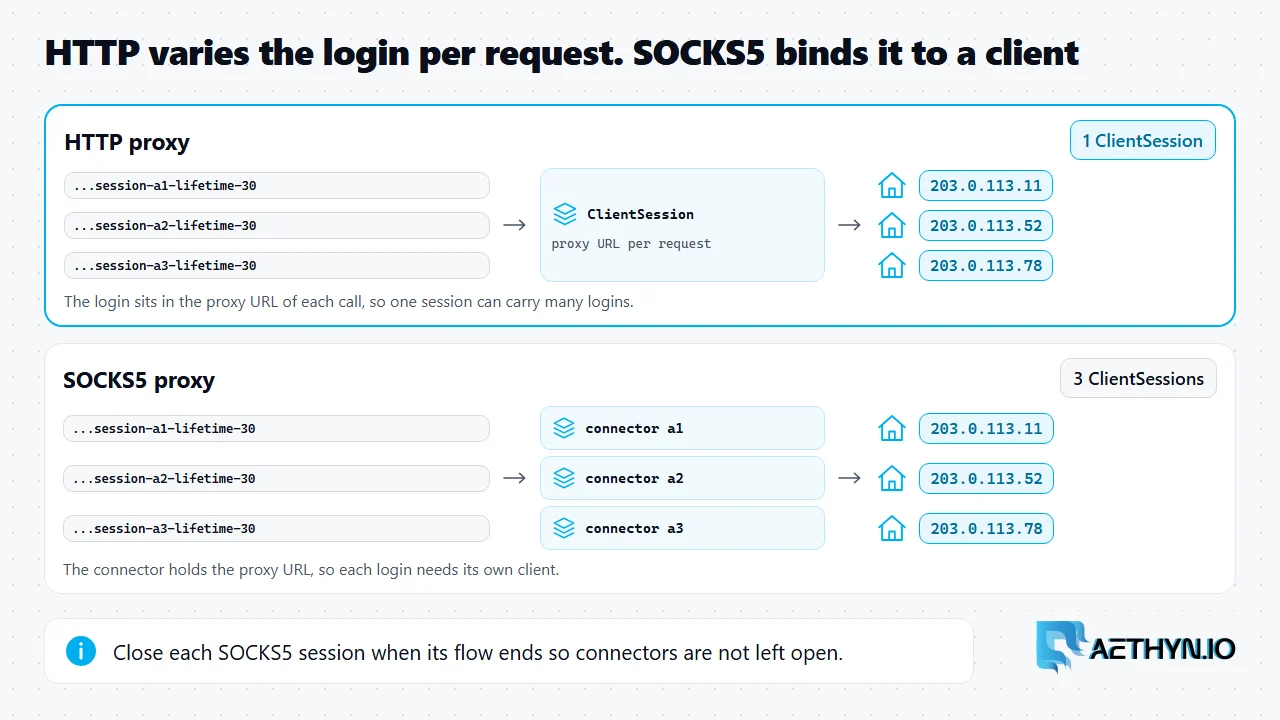
Add -session-<id>-lifetime-<minutes> to the username and reuse the id to keep one exit, as in sticky proxies explained. With HTTP the login is part of the proxy URL on each call, so one ClientSession can carry several identities. With SOCKS5 the connector holds the proxy URL, so each login needs its own ClientSession. Open them with async with so each connector closes when its flow ends.
Bound the concurrency
Code Snippetasync def crawl(urls, user, limit=10):
    sem = asyncio.Semaphore(limit)  # cap in-flight requests through the proxy

    async with aiohttp.ClientSession() as session:

        async def one(url):
            async with sem:
                async with session.get(
                    url, proxy=f"http://{login(user)}@{HOST}:{HTTP_PORT}"
                ) as r:
                    return url, r.status

        return await asyncio.gather(*(one(u) for u in urls))
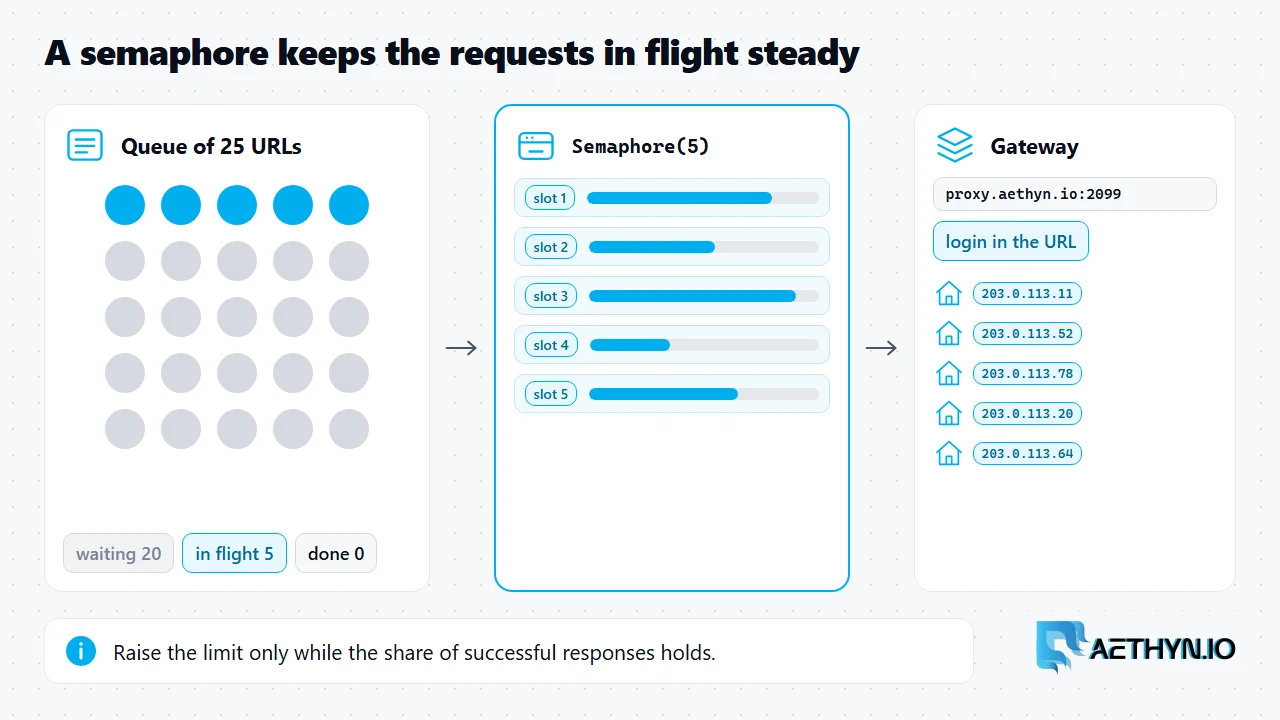
This reuses login(), HOST and HTTP_PORT from the script above. A semaphore caps the requests in flight, which keeps the crawl steady instead of bursting. Raise the limit only while the share of successful responses holds. To run it on real traffic, see SOCKS5 proxies and the Premium pool, or the Elite pool for city and ISP targeting, and pricing.
aiohttp proxy questions
Does aiohttp support SOCKS5 proxies?
Why does aiohttp-socks reject socks5h://?
How do I keep one IP across several aiohttp requests?
What does a 407 mean in aiohttp?
Guides, integrations & docs
Continue reading
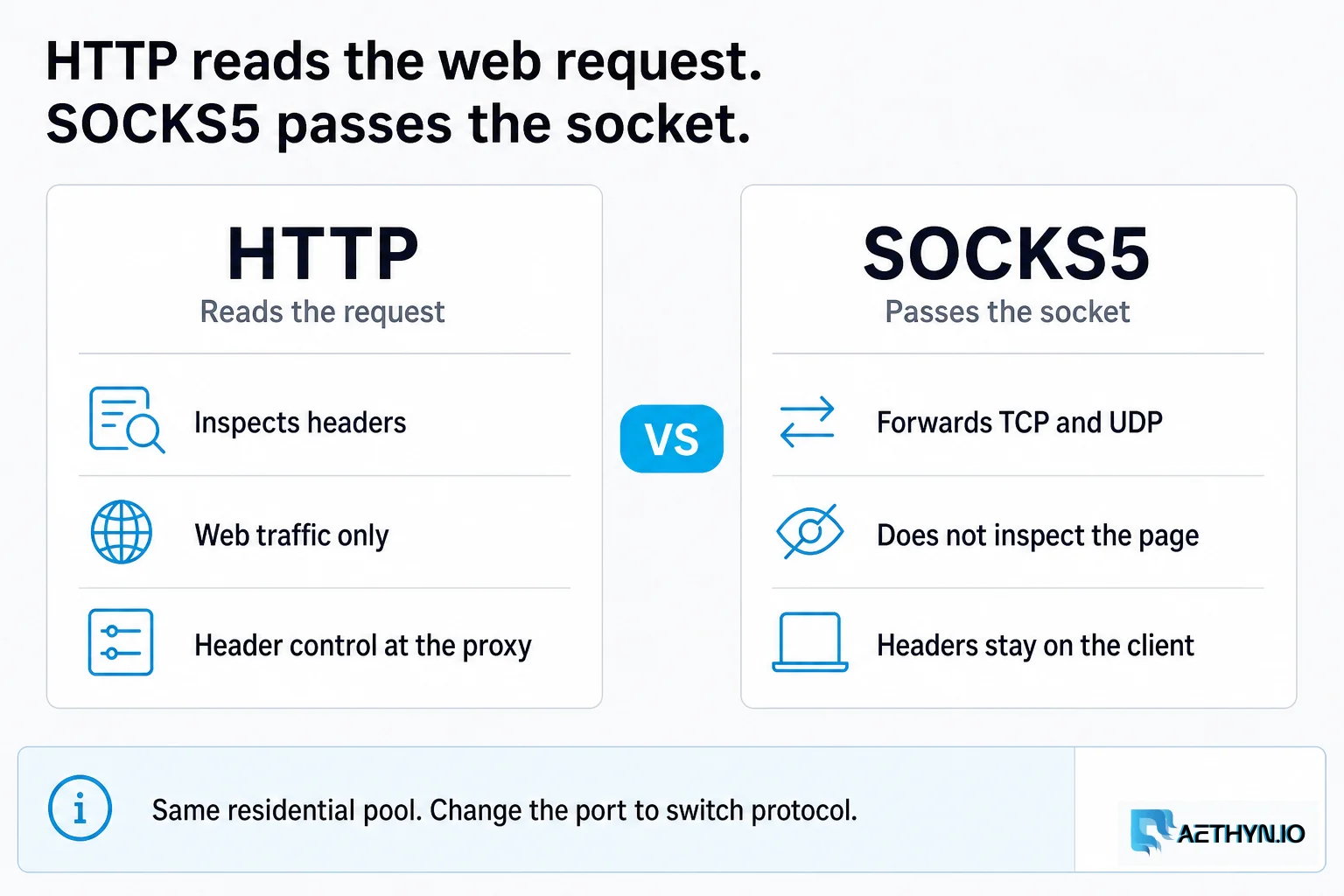
SOCKS5 vs HTTP Proxies: Which is Better for Web Scraping?
Understand the fundamental differences between SOCKS5 and HTTP protocols and which one provides better performance for your automation.
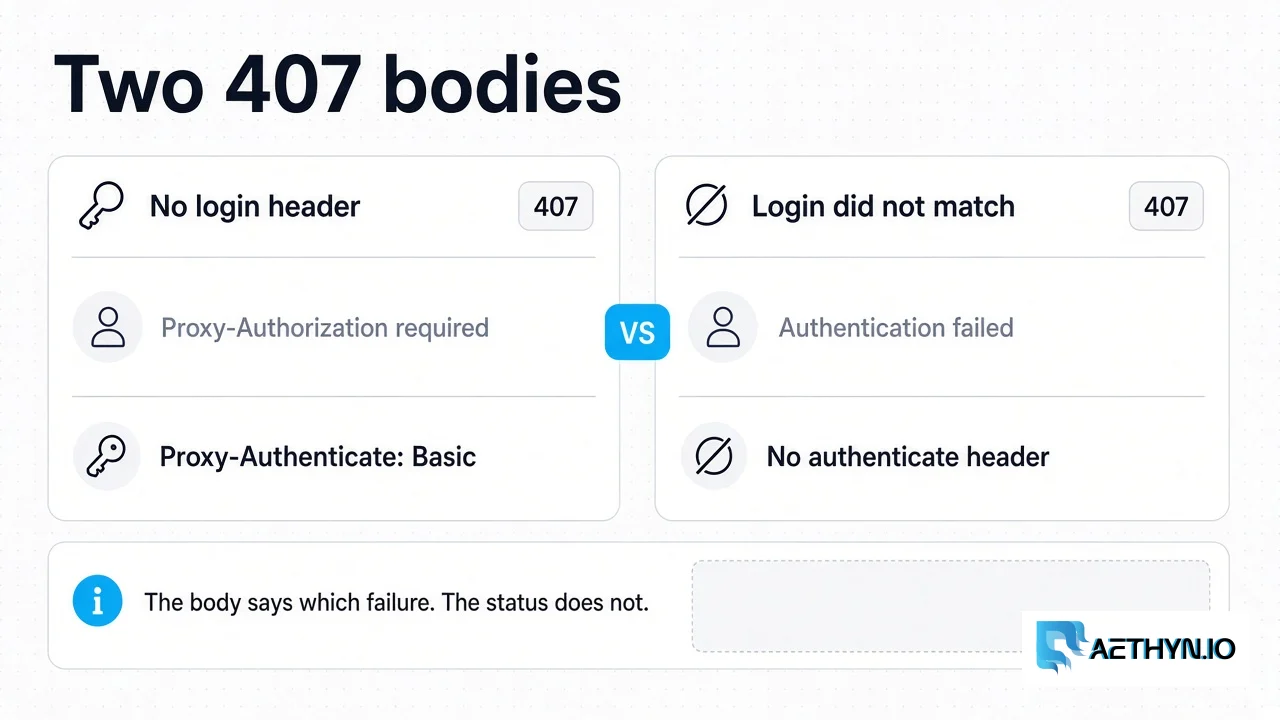
HTTP 407 Proxy Authentication Required: What the Gateway Returns
Aethyn returns 407 for a missing login or a failed login. A spent bandwidth quota is 403, and the gateway does not check an IP allowlist.
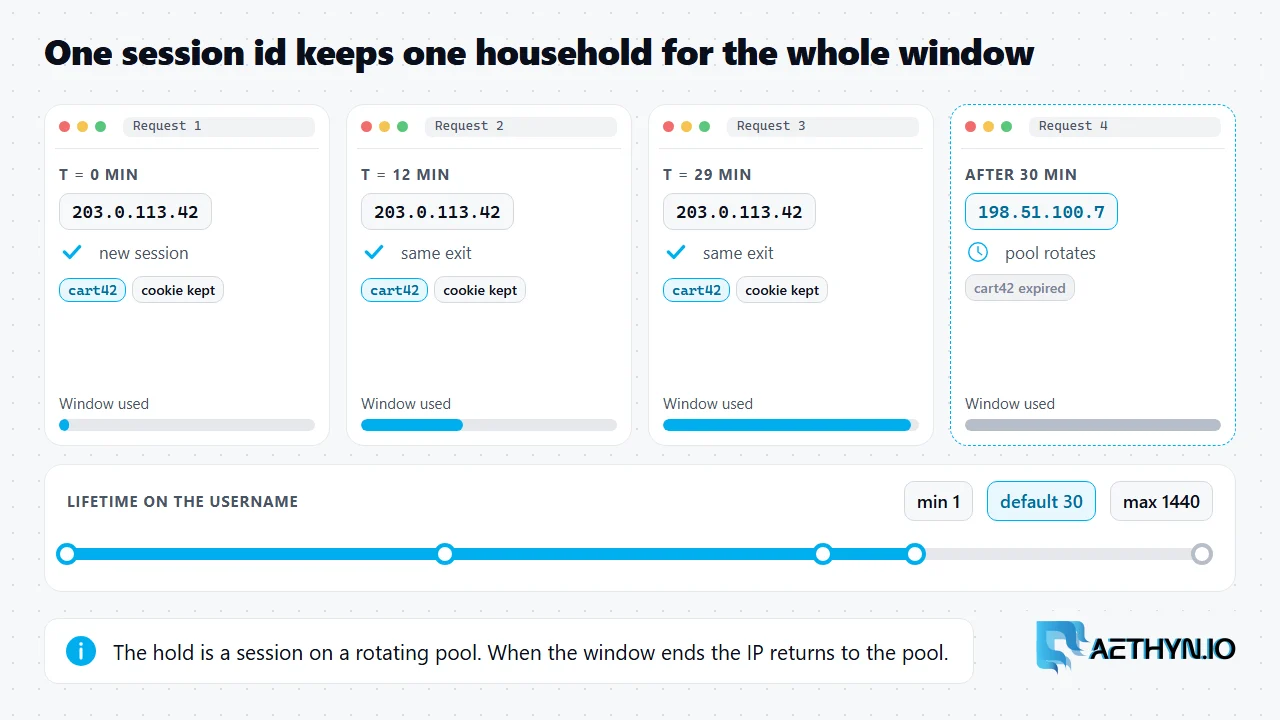
Sticky Proxies Explained: Sessions, Lifetime, and When to Use Them (2026)
A sticky proxy holds one residential IP for a set time instead of changing it on every request. Here is the exact session and lifetime username, how long it lasts, and when to use it.
HTTP and SOCKS5 on one pool
Premium HTTP 2099, SOCKS5 1099. Same login on both ports. Free trial, no card.