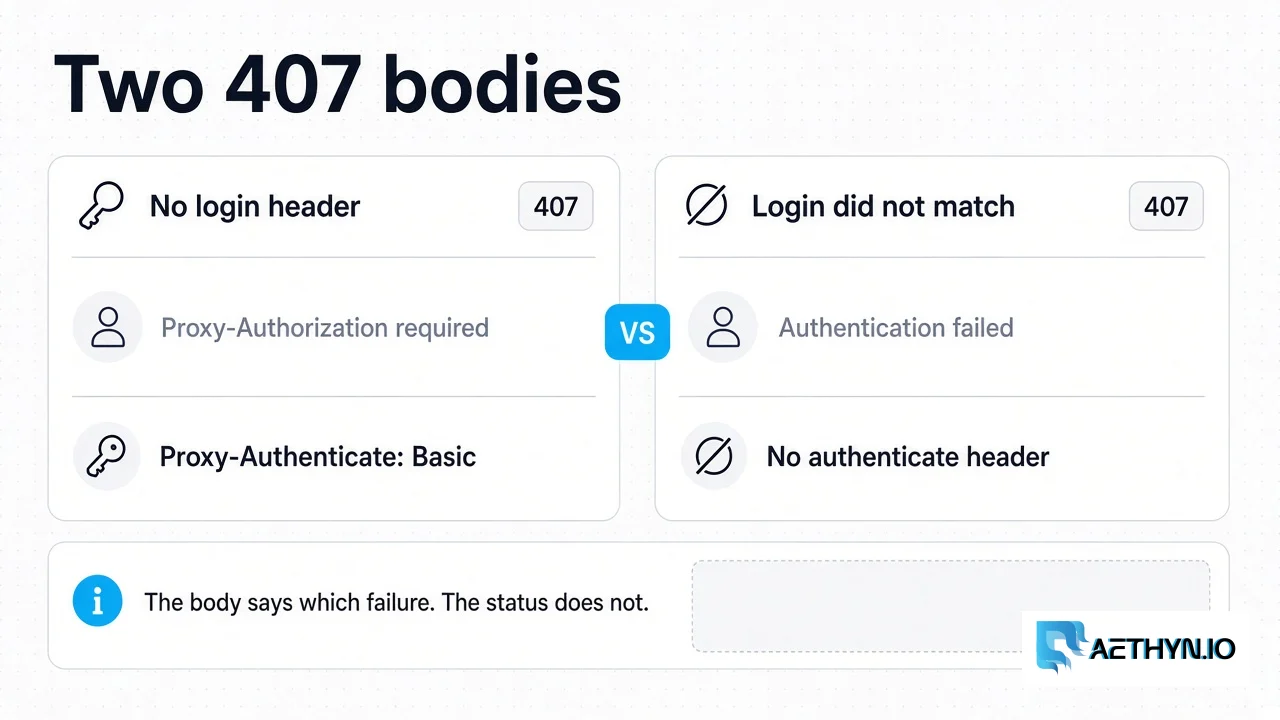
HTTP 407 Proxy Authentication Required means the Aethyn HTTP gateway refused the login and did not open a tunnel. The body tells you which of two login failures you hit. Proxy-Authorization required means the request had no usable Basic header. Authentication failed means a header arrived and the username or password did not match an account that can use the gateway. The credential shape is documented in Authentication. Other status codes from a scrape, including a target’s 403 or 429, are the proxy error hub.
Checked against the HTTP gateway on 15 October 2026. The notes below are that code path, not a live packet capture.
Two 407 bodies
| What you sent | Status | Body | Proxy-Authenticate |
|---|---|---|---|
No Proxy-Authorization header, or it is not Basic, or the value has no : | 407 | Proxy-Authorization required | Basic realm="proxy" |
| Header present, login does not match | 407 | Authentication failed | Absent |
The second row is one body for several causes. An unknown user, a wrong password, a disabled user, a disabled reseller, and a product the account is not provisioned for all return Authentication failed. The client cannot tell those apart. The reason is written to the server log only.
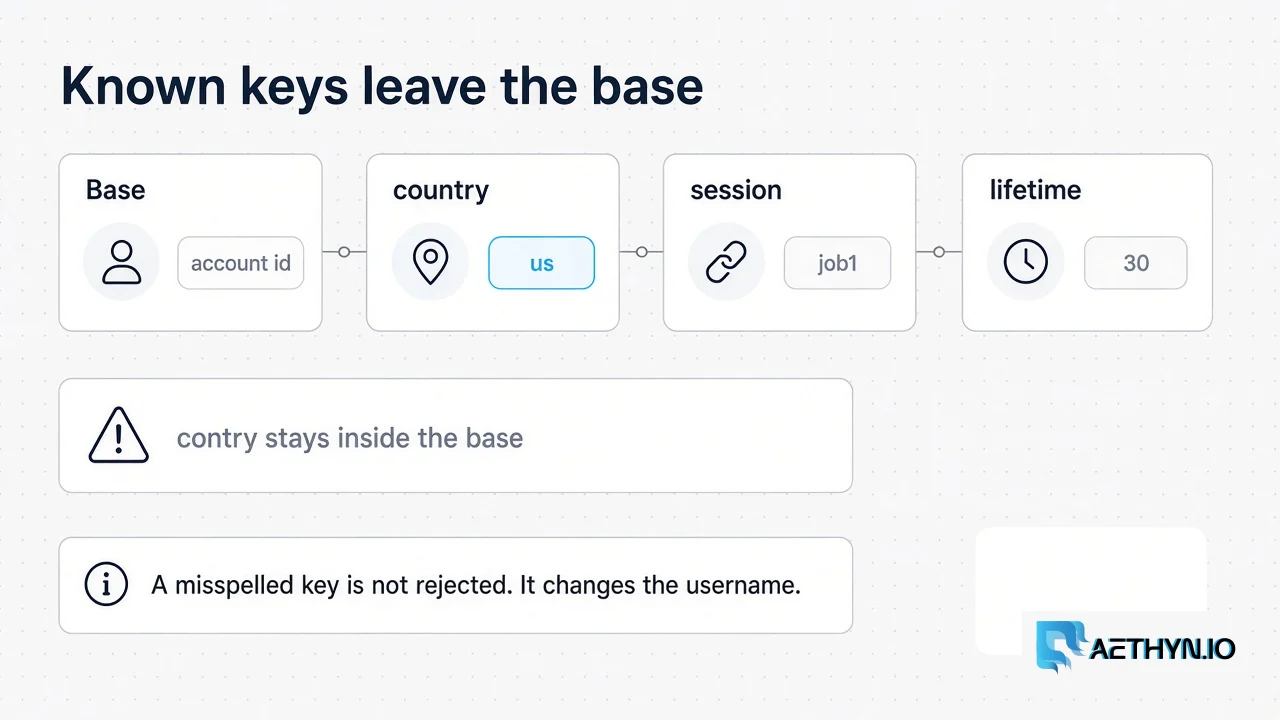
A misspelled targeting key is not a separate error. The username is split on -. The base is everything before the first known key. The keys are country, city, state, region, zip, isp, session, lifetime, and type. Anything else, including contry or the old sid and ttl names, stays inside the base. The lookup then fails, and the body is still Authentication failed. A dashboard name that itself contains one of those words between dashes, such as my-city-x, is parsed as a key too, and that also ends in the same 407. Account names from the dashboard are aethyn- plus an id, and they do not include those words.
Password characters
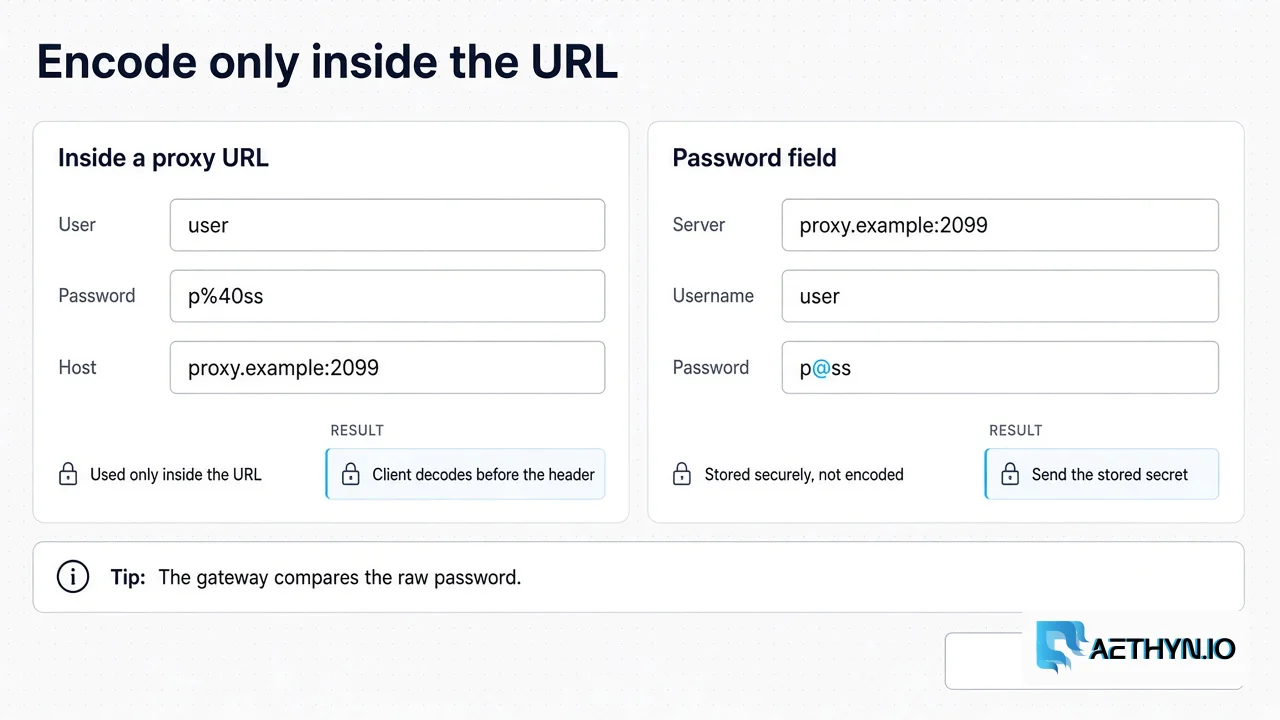
The gateway compares the password as raw text. It does not URL-decode it. After the Basic header is decoded, the string is split on the first :, and the rest is the password, so a colon inside the password is kept.
URL-encoding belongs to the client, and only when the password sits inside a proxy URL such as http://user:pass@host. A client that forgets to decode %40 back to @ sends the wrong string and gets Authentication failed. When the password is a separate field — Playwright’s password, Puppeteer’s page.authenticate(), or a header you build yourself — send the secret exactly as the dashboard shows it. Do not percent-encode that field.
Checklist
- The request has a Basic
Proxy-Authorizationheader. If the body isProxy-Authorization required, the header never arrived. - The username starts with the dashboard base, then only the keys listed above. A typo in a key is part of the username, not a rejected suffix.
- The password in a field matches the dashboard. The password in a URL is encoded by you and decoded by the client before the header is built.
- The account is enabled. A disabled account uses the same
Authentication failedbody, so the status code will not say “disabled.” - If the login succeeded and the body is
Bandwidth quota exceeded, the status is 403. That is the quota check, which runs after authentication. It is not a 407.
curl
--proxy-user sends the raw password. Use that when the secret contains @, %, or a colon. The URL form is fine for a password made of letters and digits. Premium HTTP is port 2099. Elite HTTP is port 5499.
Code Snippetcurl --proxy "http://proxy.aethyn.io:2099" \
  --proxy-user "aethyn-XXXXX-country-us:PASSWORD" \
  https://api.ipify.org
Python requests
Requests builds the header from the proxy URL and decodes percent-escapes first. Quote the password when you assemble that URL, then leave the stored secret alone.
Code Snippetfrom urllib.parse import quote
import requests

user = "aethyn-XXXXX-country-us"
password = "PASSWORD"  # raw secret; quote() encodes it for the URL only
proxy = f"http://{quote(user, safe='')}:{quote(password, safe='')}@proxy.aethyn.io:2099"
r = requests.get("https://api.ipify.org", proxies={"http": proxy, "https": proxy}, timeout=30)
print(r.status_code, r.text)
Playwright
Chromium does not take a login inside --proxy-server. Put the host in server and the raw password in password. A login pasted into the server string is the missing-credential 407.
Code Snippetfrom playwright.sync_api import sync_playwright

with sync_playwright() as p:
    browser = p.chromium.launch(proxy={
        "server": "http://proxy.aethyn.io:2099",
        "username": "aethyn-XXXXX-country-us",
        "password": "PASSWORD",
    })
    page = browser.new_page()
    page.goto("https://api.ipify.org")
    print(page.content())
    browser.close()
Puppeteer
--proxy-server is only the host and port. Until page.authenticate() runs, Chrome sends no Proxy-Authorization header, and the gateway answers Proxy-Authorization required. Call authenticate before goto, with the raw password.
Code Snippetimport puppeteer from "puppeteer";

const browser = await puppeteer.launch({
  args: ["--proxy-server=http://proxy.aethyn.io:2099"],
});
const page = await browser.newPage();
await page.authenticate({
  username: "aethyn-XXXXX-country-us",
  password: "PASSWORD",
});
await page.goto("https://api.ipify.org");
await browser.close();
On SOCKS5, a failed login is the SOCKS reply 0x01 0x01, then the connection closes. There is no HTTP 407 on that port. Premium SOCKS5 is 1099 and Elite SOCKS5 is 3499.
When the HTTP body is Bandwidth quota exceeded, stop treating it as a password problem. The gateway accepted the login and then refused the tunnel because the account has no bandwidth left. That response is 403. The wider status-code list, including a target’s own 403 and 429, stays on the error hub.
407 proxy authentication questions
What does HTTP 407 Proxy Authentication Required mean on Aethyn?
Can the client tell a wrong password from a disabled account?
Does a 407 mean my IP is not whitelisted?
Why did I get 403 after the password was accepted?
Guides, integrations & docs
Continue reading
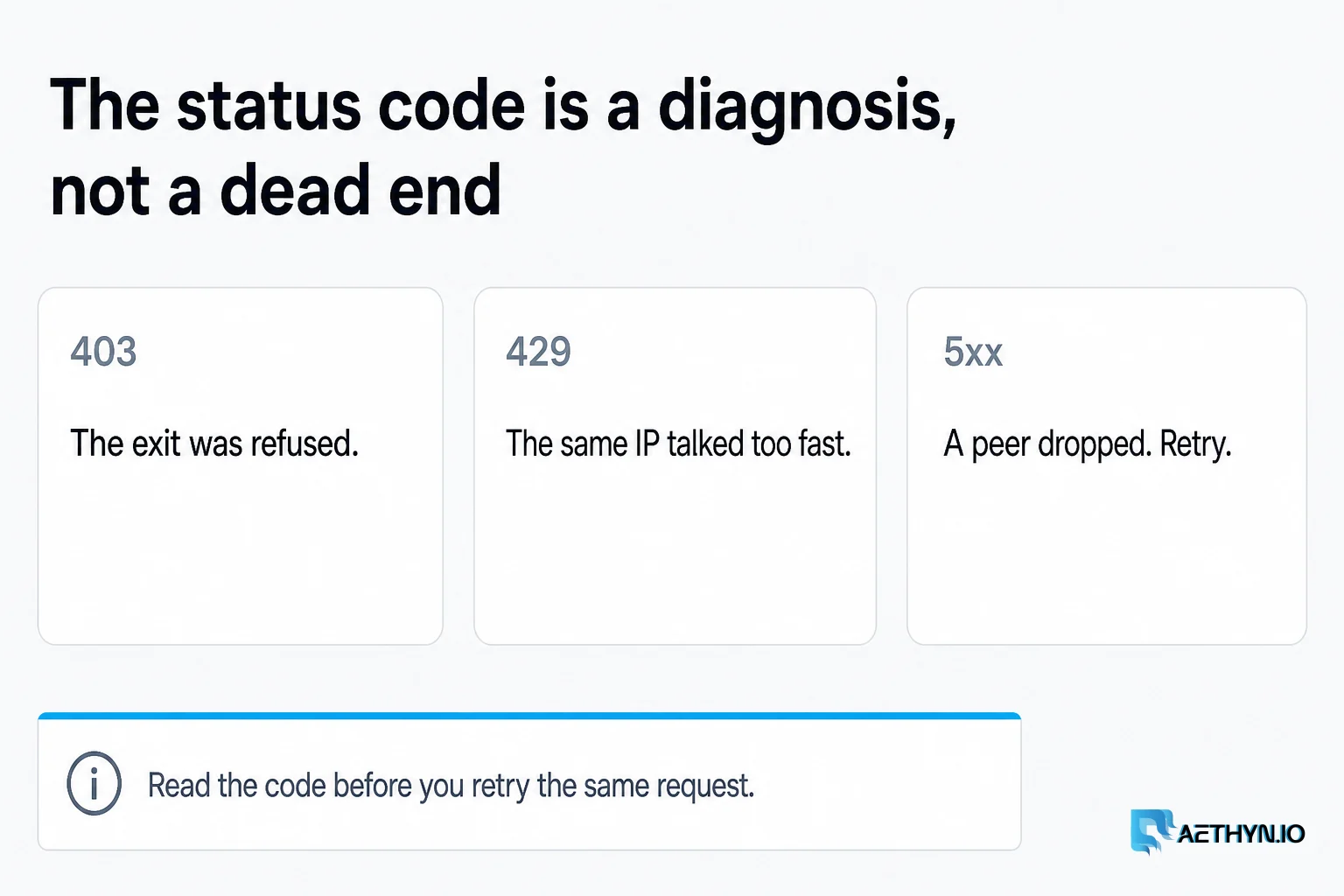
Proxy Errors Explained: 403, 429 & How to Fix Them
Debugging proxy issues can be a nightmare. We explain common status codes and how to resolve them instantly.
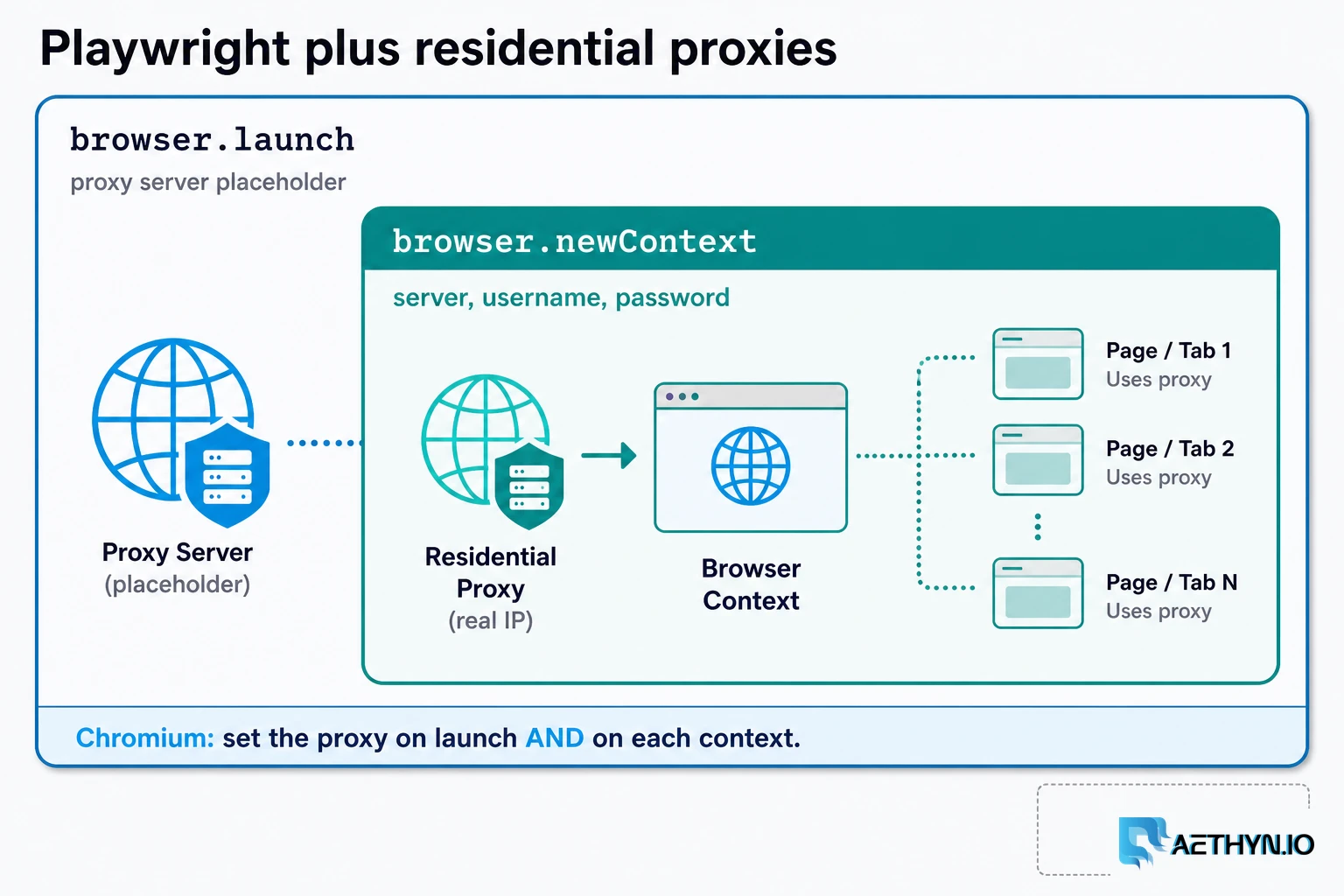
How to Use Residential Proxies with Playwright (2026)
A Playwright residential proxy is a browser context whose traffic exits through an ISP-assigned household IP. Credentials go in fields, rotation is a new context, and locale must match the exit.
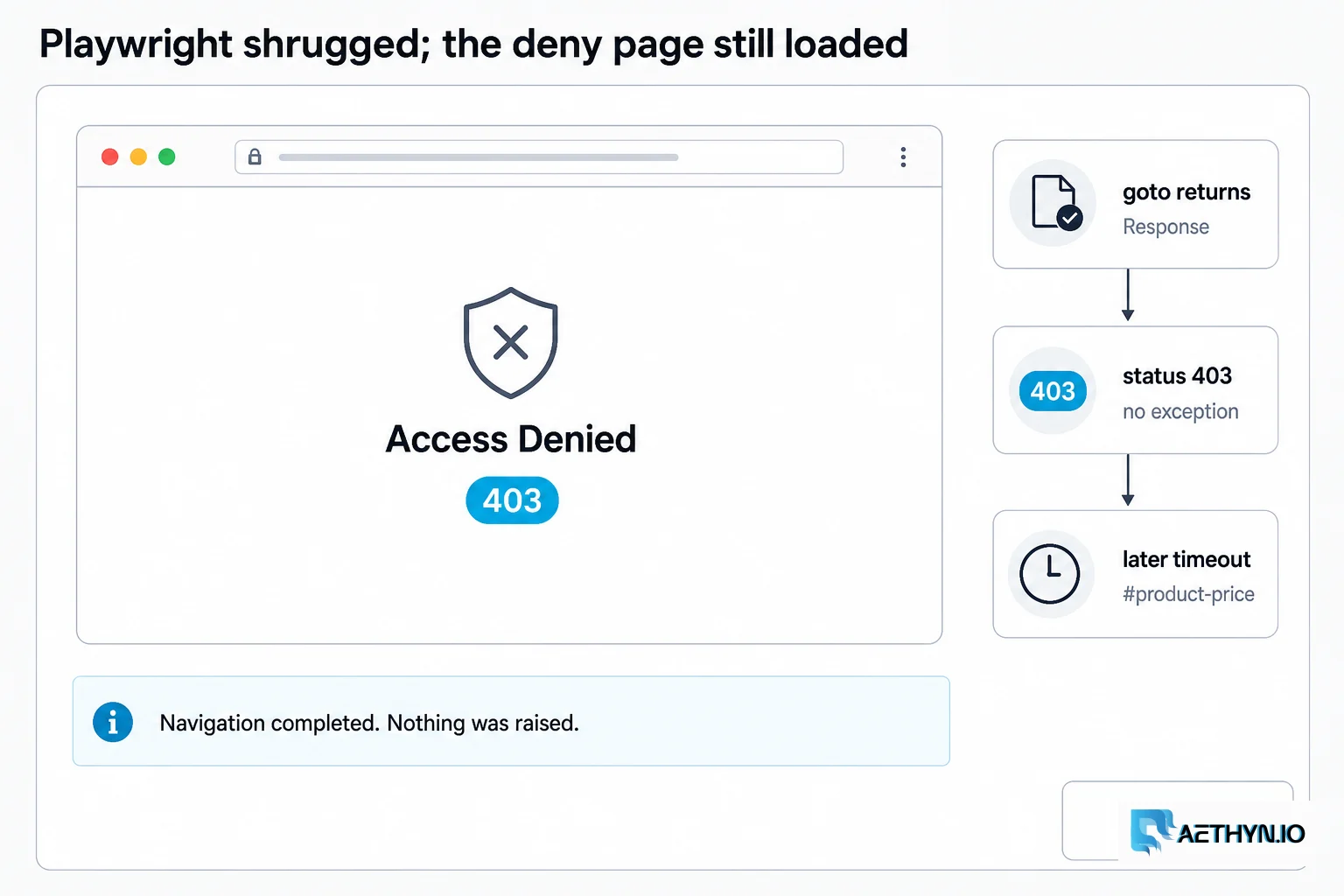
Playwright Silent 403: Your Scraper Was Blocked Quietly
Playwright page.goto returns status 403 and raises nothing; Selenium is quieter still. Build an explicit classify step so anti-bot pages stop looking like missing selectors.
Send the dashboard password as stored
Premium HTTP is port 2099. Elite HTTP is port 5499. Put the password in a field, not inside the host. Free trial, no card.